
FREE QUOTE · REPLY WITHIN 1 BUSINESS DAY
What do you want to buy?
Paste links, describe it, or add photos. One product or a hundred, they all go on one list and we quote them together.
Words are searched on 1688 and you pick the product. Links and photos work in both modes. You can also paste a screenshot or cells from Excel.
Works with 1688, Amazon, Temu, SHEIN, AliExpress, TikTok Shop, Shopify stores and more.
Free quote · No sign-up · Nothing paid until you approve in writing
FIRST TIME HERE? · A COUPLE OF MINUTES
How to use the request list
Search 1688 with a link, a keyword or a photo and pick the product, or describe it and let our team find it. Then send the list with your name and email. You get a written quote within 1 business day.
Start with whatever you have
Links and photos work in either mode. For typed words, the switch under the box decides between Search 1688 and Ask our team.
Paste a 1688 link
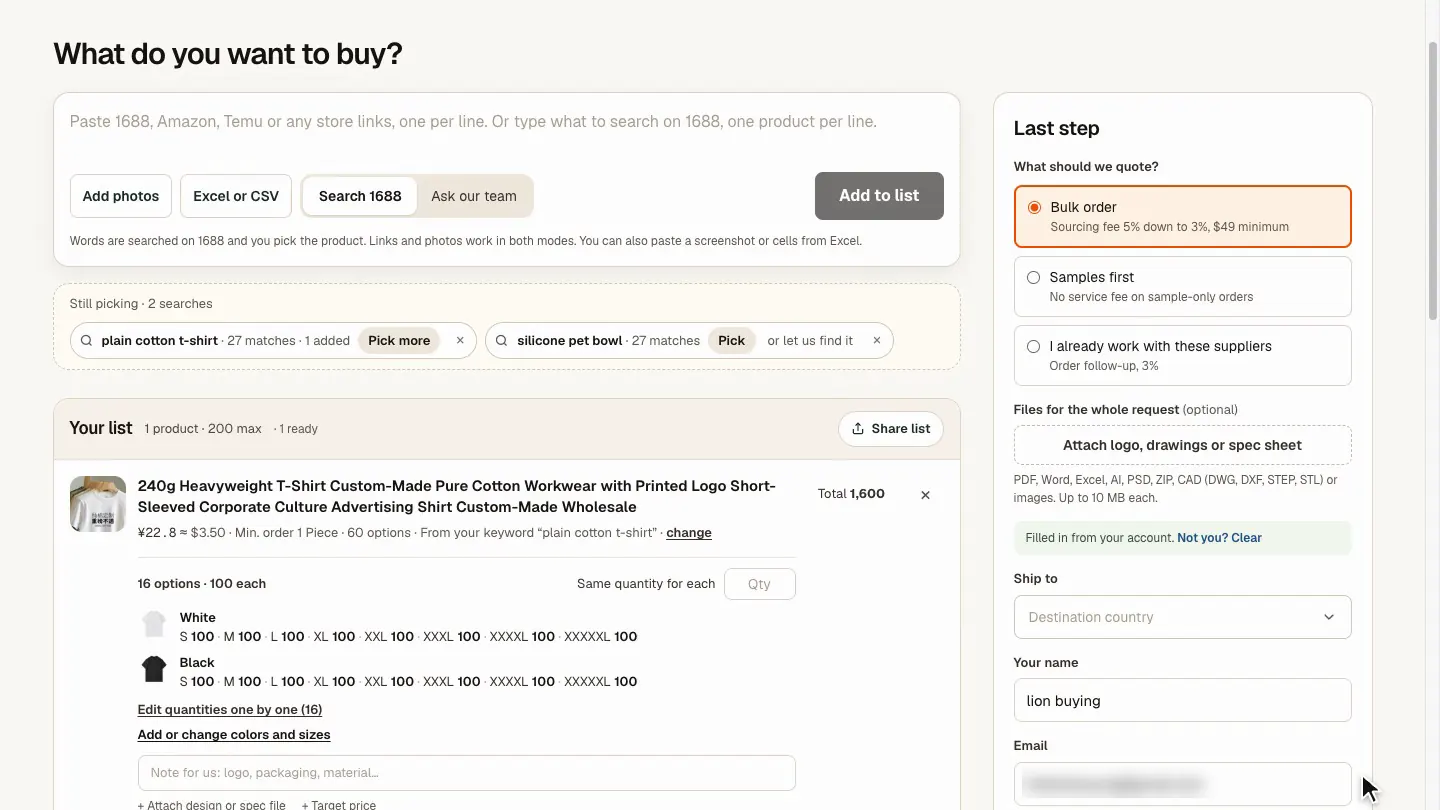
Paste the product page address and press Add to list. We read the listing, so you see the price by quantity and every color and size on offer.
Type a keyword
With Search 1688 on, type what you want, one product per line. The results open next to your list, or full screen on a phone. Each search waits under Still picking until you choose.
Add photos
Press Add photos and choose a picture of the product, a screenshot is fine. We search 1688 by the photo and the results open right away. JPG, PNG and WebP all work.
Paste an Amazon or Temu link
SHEIN, AliExpress and Shopify links work the same way. We look for that product on 1688 and you pick the closest match. Not sure? Press Let us find it.
Ask our team
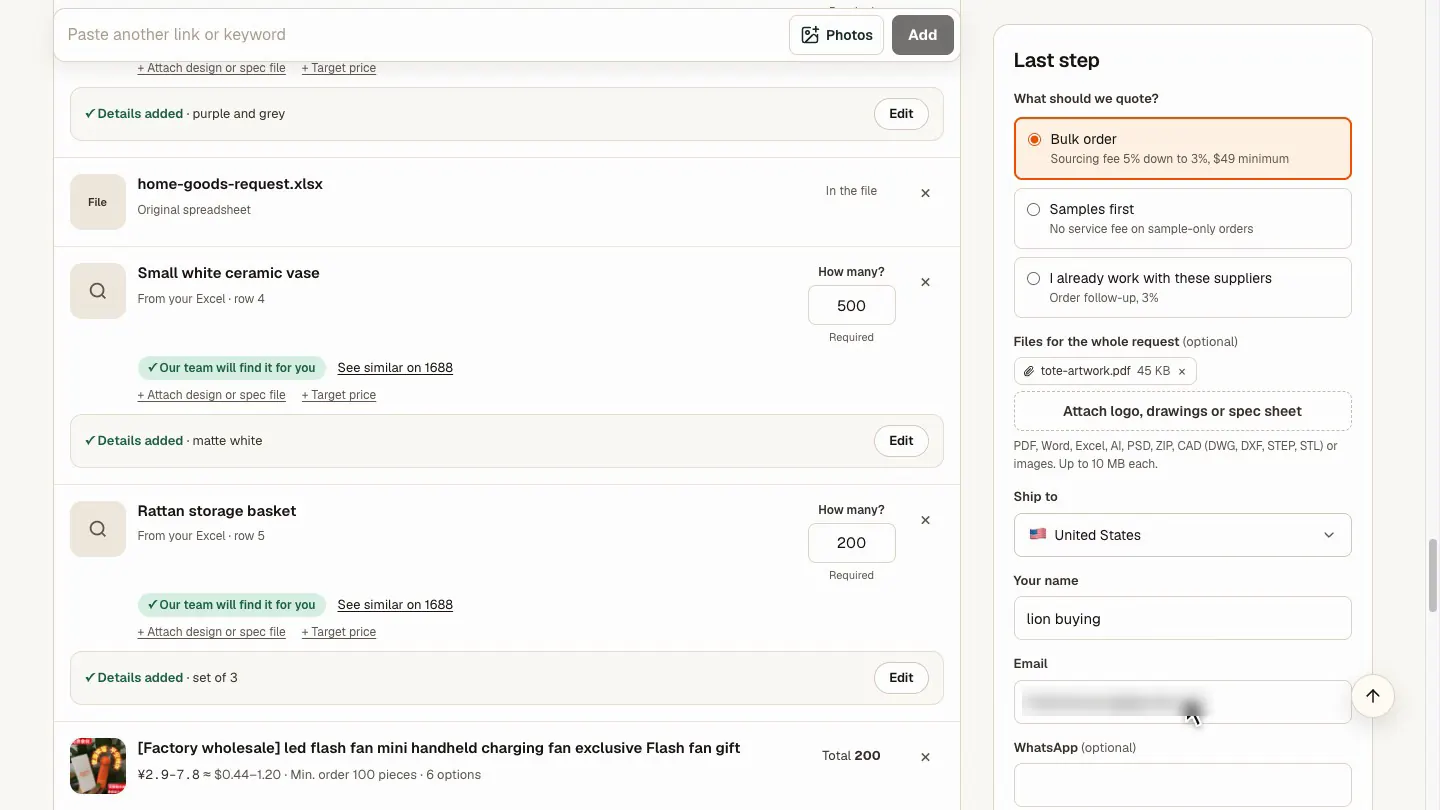
Can't find it, or need it made? Switch to Ask our team and describe it: size, material, logo, packaging. It goes on the list as a request and our team looks for it.
Then three steps to your quote
STEP 1
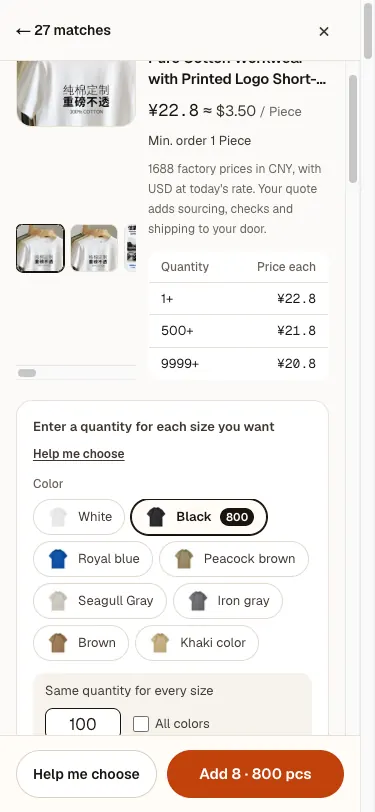
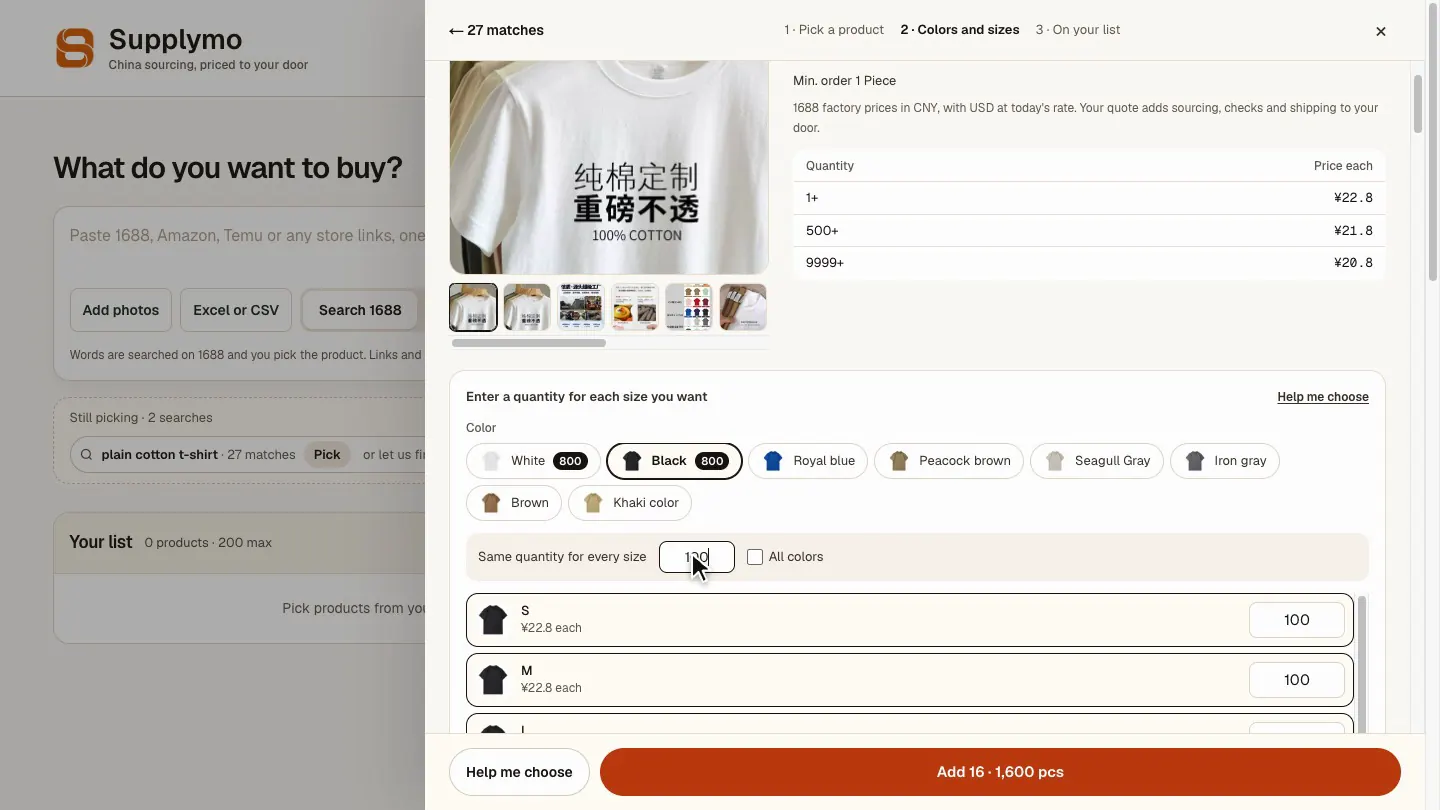
Pick colors and sizes
- 1Open a product to see its photos and price by quantity. On a phone the results open full screen, and Your list takes you back.
- 2Each color has a box for every size. Type how many you want in each, or use Same quantity for every size.
- 3Press Add at the bottom, and the product goes on your list with those quantities.
STEP 2
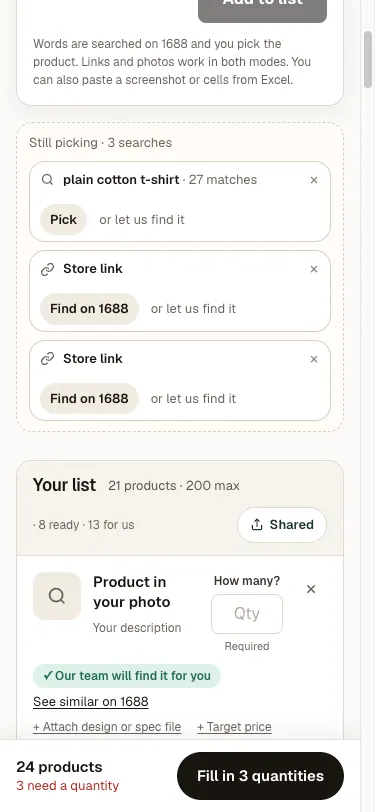
Check your list
- 1Every product is one row. Change a quantity right on the row.
- 2On a request for our team, Help us find the right one asks a few optional questions. Tap what fits, then Done.
- 3Searches you haven't picked from yet wait under Still picking, above the list.
Your list stays saved on this device. Sign in and it follows you to any device.
STEP 3
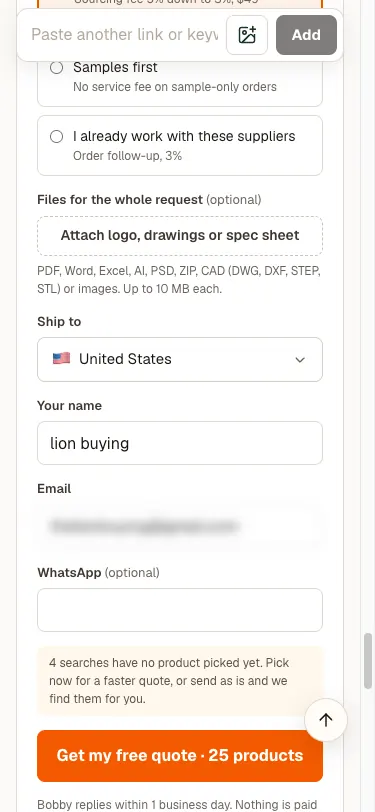
Send it for a quote
- 1Choose a bulk order or samples first. Already working with suppliers? Pick follow-up instead.
- 2Add the country we ship to, your name and your email. WhatsApp is optional.
- 3Press Get my free quote. The quote is free and you can send it without signing up.
You get a reference number and a tracking link right away. The written quote follows within 1 business day, and nothing is ordered until you approve it.
Questions before you start
Do I need an account?
No. Your name and email in the last step are enough. Signing in is optional and keeps your list on any device.
What is the difference between Search 1688 and Ask our team?
With Search 1688, each line you type becomes a 1688 search and you pick the products yourself. With Ask our team, your words become one request and our team looks for it. Links and photos work the same either way.
How many products can one list hold?
Up to 200 products, plus 30 photos or files of up to 10 MB each. For an Excel or CSV file, you see the rows first and choose which ones to add.
My product is on Amazon, not 1688. Does that work?
Yes. Paste the link and we look for the same product on 1688. If none of the matches looks right, press Let us find it.
Do I have to pick colors and sizes now?
No. Leave the product as it is and write what you need in its note. If something is unclear we ask before we quote.
What if my quantity is under the seller's minimum?
The row tells you the seller's minimum. Change the quantity, or send it as it is and ask about it in the note.
What happens after I send it?
You get a reference number and a tracking link that works without signing in. Within 1 business day we send a written quote with each cost on its own line. Nothing is ordered until you approve it in writing.